ProGen Wizard 3.3.4 - Released 29 April 2010

Program your ProGen II™ from your Home Computer

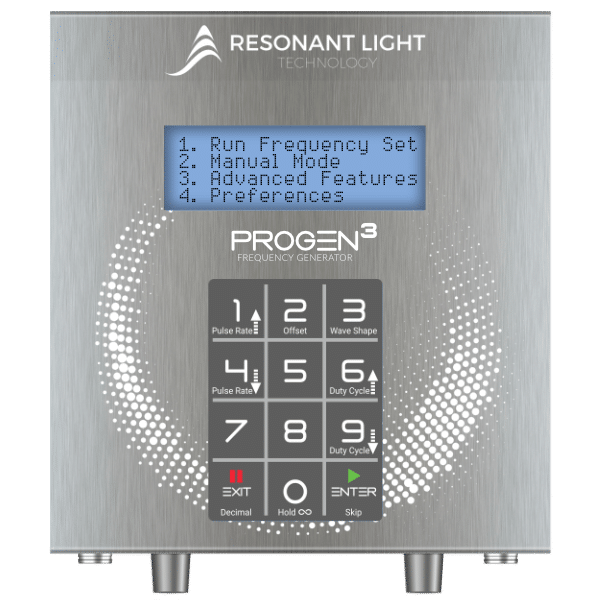
Our software package "ProGen Wizard" has been designed to make the ProGen II™ programmable frequency generator the easiest to use on the market.

DOWNLOAD: ProGen Wizard Software Operator's Manual (click here)

ProGen Wizard Protocol Editor Window

The Wizard's features include:

  • Data entry window prevents inadvertant programming errors
  • Save frequency files to your computer
  • Direct Load frequency files into a Progen II ™
  • Load selected files from your computer into a Progen II ™
  • Share frequency files electronically
  • Restore inadvertently deleted files to Progen II ™
  • Download frequency files
  • Consolidate frequency lists
  • Compose frequency protocols
  • Read bank data from ProGen II ™
  • Combine short files into one large protocol file to more fully utilize the 50 levels available in a bank

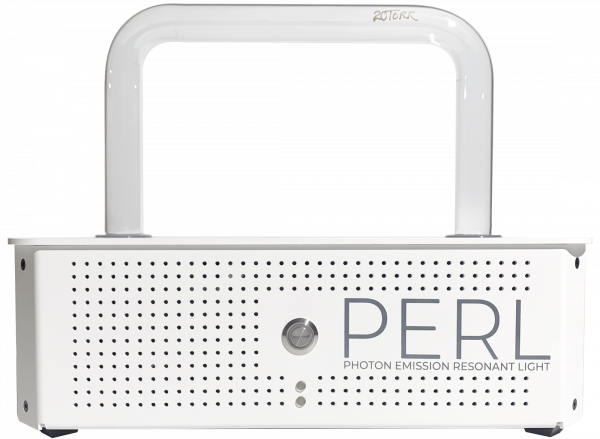
CAUTION: Please note that this is beta test software, and as such is still in a developmental stage, and not without bugs. As problems are identified, attempts are made to resolve them; however, occasionally this proves to be very difficult. The software was designed to assist ProGen II users to expand the programming capabilities of the frequency generator and to utilize frequency sets that they may gather in their research, as well as to download directly already composed protocols. The Wizard software is NOT required for the regular running of the ProGen II either on its own, or as the frequency generator for the PERL.

USB-Serial Adaptor: The manufacturer has recently released a newer version of the driver for the adaptor that improves the performance and reliability of the Wizard. We would strongly urge you to follow this link to download the driver rather than using the one that comes with the adaptor cable package.

Windows 7 - Please note this download is required for Windows 7
Go to
www.prolific.com.tw/eng/downloads.asp?ID=31

A solution has not been found for one particular issue currently. On occasion, the Wizard will cause all banks in the ProGen II to be erased. This happens infrequently; however, those considering using the Wizard should be aware of this possibility. Work is ongoing.

IMPORTANT: DOWNLOAD & READ completely the ProGen Wizard Software Operator's Manual (click here) before downloading the software and attempting to use the program. (The manual is in an Adobe pdf file. The free Adobe pdf reader can be downloaded from www.adobe.com.) It is important to be proficient in basic computer skills before attempting to use the program.

The Getting Started (click here) document will give you a brief overview of how to download the program and run the Wizard for the first time. (Also a pdf.)

The Readme (click here) document provides information on program changes that have been made in the various revision levels up to the current one. It is important to check for new versions of the program periodically, and to download it again. It will NOT write over a previous version, so you will just manually delete an earlier version. Remember to keep any protocol files (.pg2 file format) that you have saved to your computer; they will still work with updated versions of the program.


PROGRAM DOWNLOAD

DOWNLOAD your free ProGen Wizard Software:
MAC OSx - Beta Test Version 3.3.4 - (click here) - released 29 April2010
PC Windows - Beta Test Version 3.3.4 - (click here) - released 29 April2010

Please return to this page often to be sure you have the latest version.
Changes and fixes are ongoing with the software.


NOTES: Re Drivers for the USB-Serial Adaptor
(The adaptor is the cable which connects the ProGen II to your computer.)

We encourage all users to download the latest version of the USB-Serial adaptor directly from the Prolific site. Go to:
www.prolific.com.tw/eng/downloads.asp?ID=31 .
Choose the applicable PL2303 Prolific driver installer for your operating system, either Mac or Windows.

MacBook Pro Users
It has been brought to our attention that the drivers for the USB-Serial adaptor may not work on MacBook Pro computers. Click here for a link to a tutorial on installing drivers on MacBook Pro.


Once you have downloaded the Wizard, please register your software with us using your real name and the email address we have on file for you. This information allows us to verify your status and provide you with support. Registering also helps us to identify the version and the operating system you are using to facilitate problem solving.

When you are ready to proceed with using the ProGen Wizard, please remember:

It is important to make sure that the Wizard software is working properly before proceeding with programming. To do this, READ a bank to see if that works properly before trying to LOAD anything into your ProGen. "Reading" won't erase banks from your ProGen, whereas a malfunctioning software installation has the potential of erasing all banks when "loading", necessitating re-entering the data manually - a lengthy and time consuming process.

We are happy to assist you with any problems you may run into when using the Wizard. We would ask, however, that you have downloaded the program, installed the USB-Serial adaptor driver, and read the operator's manual completely before requesting support. We have found that this often eliminates problems before they arise.

Contact us at 250-338-4949
1-877-338-4949 toll free in Canada & US
or email your questions to


"));